
Recipes and batches
Capture bullet, powder, primer, brass, charge weight, seating depth, and cost details in a reusable recipe—then record the batches you actually build.
New in the workspace · The Bench
Development is rarely a straight line. The Bench keeps the recipe, component choices, test plan, brass life, and results close enough to make a deliberate next move.
Explore The Bench in your trialCapture bullet, powder, primer, brass, charge weight, seating depth, and cost details in a reusable recipe—then record the batches you actually build.
Organize a ladder or comparison around the variable you are testing, with a clear history of which recipe and batch produced each result.
Keep brass lots, firing cycles, retirement notes, and component stock visible so a promising load is also practical to reproduce.
Paste or import a shot string and let the record retain the average, extreme spread, and sample standard deviation alongside the load.
The connected shooting record
The Brass Standard connects your firearms, ammunition, The Bench, chronograph strings, and target results—so the detail behind a good group is never lost to a notebook, a photo roll, or a guess.
Secure payment is handled by Stripe after you sign in to your workspace.
Why it exists
Most of what explains a good group never gets written down.
Lot numbers, charge weights, seating depth, powder temperature. Dull on their own, but stored next to the results they produced, they’re what lets you build that load again.
One workspace, not a stack of apps
Every tool is built around the same question: what changed, and did it make a difference?
01
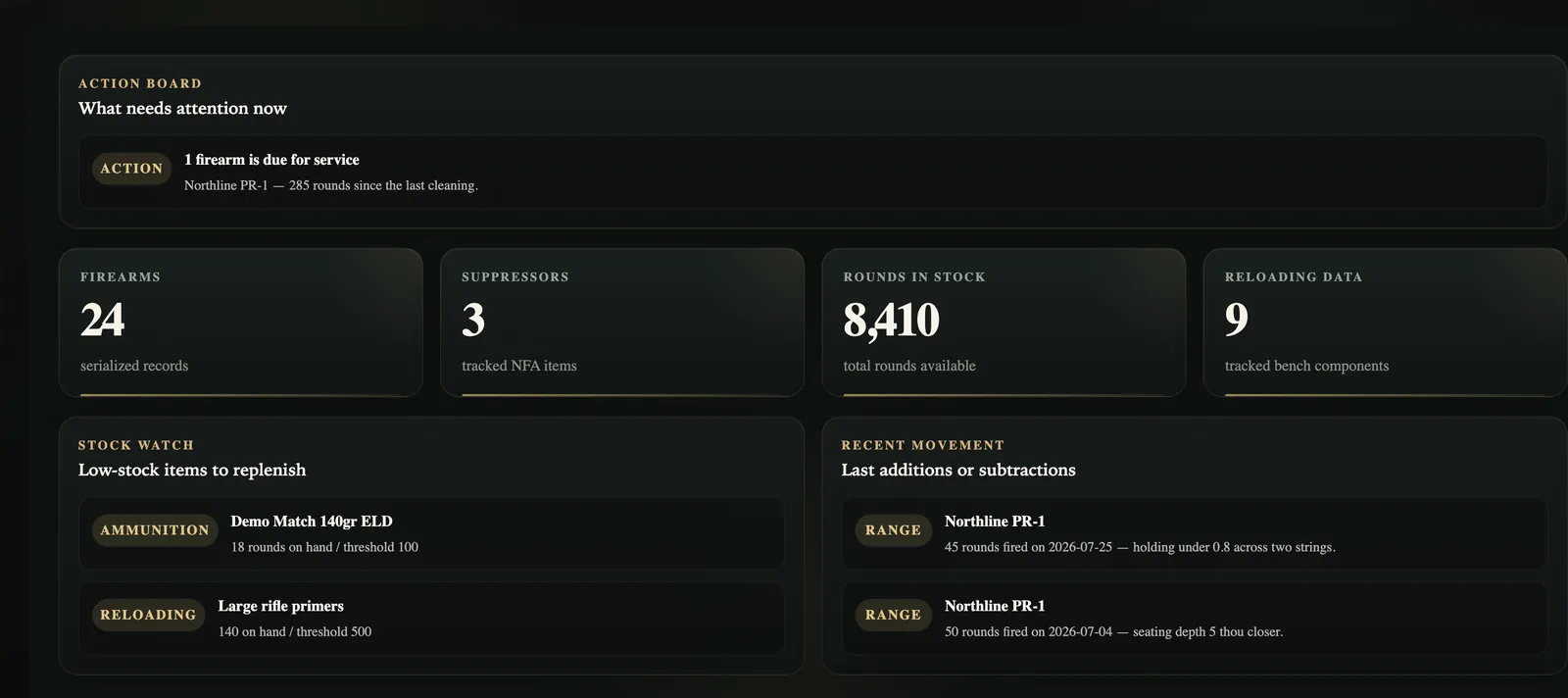
Firearms, suppressors, optics, locations, round counts, and attachments stay with the records they describe.
Set maintenance intervals by date or round count, then use the queue to see what needs attention.
02
Track factory ammunition, reloading supplies, lots, quantities, storage, and the details you need to repeat a build.
Scan a UPC or barcode when it is easier than typing, then review the result before it becomes a record.
03
Keep recipes, batches, brass, workups, and component stock in one place—and connect each decision to the range results it produced.
Build from a known recipe, compare a deliberate variable, and bring chronograph readings back to the record.
04
Review inventory, maintenance, ammunition, ballistics, range-performance, and load-cost reports without rebuilding the same spreadsheet.
Preview what matters in the workspace, then export available records as CSV when you need a portable copy.
How it works
None of it takes more than a few minutes.
Step 01
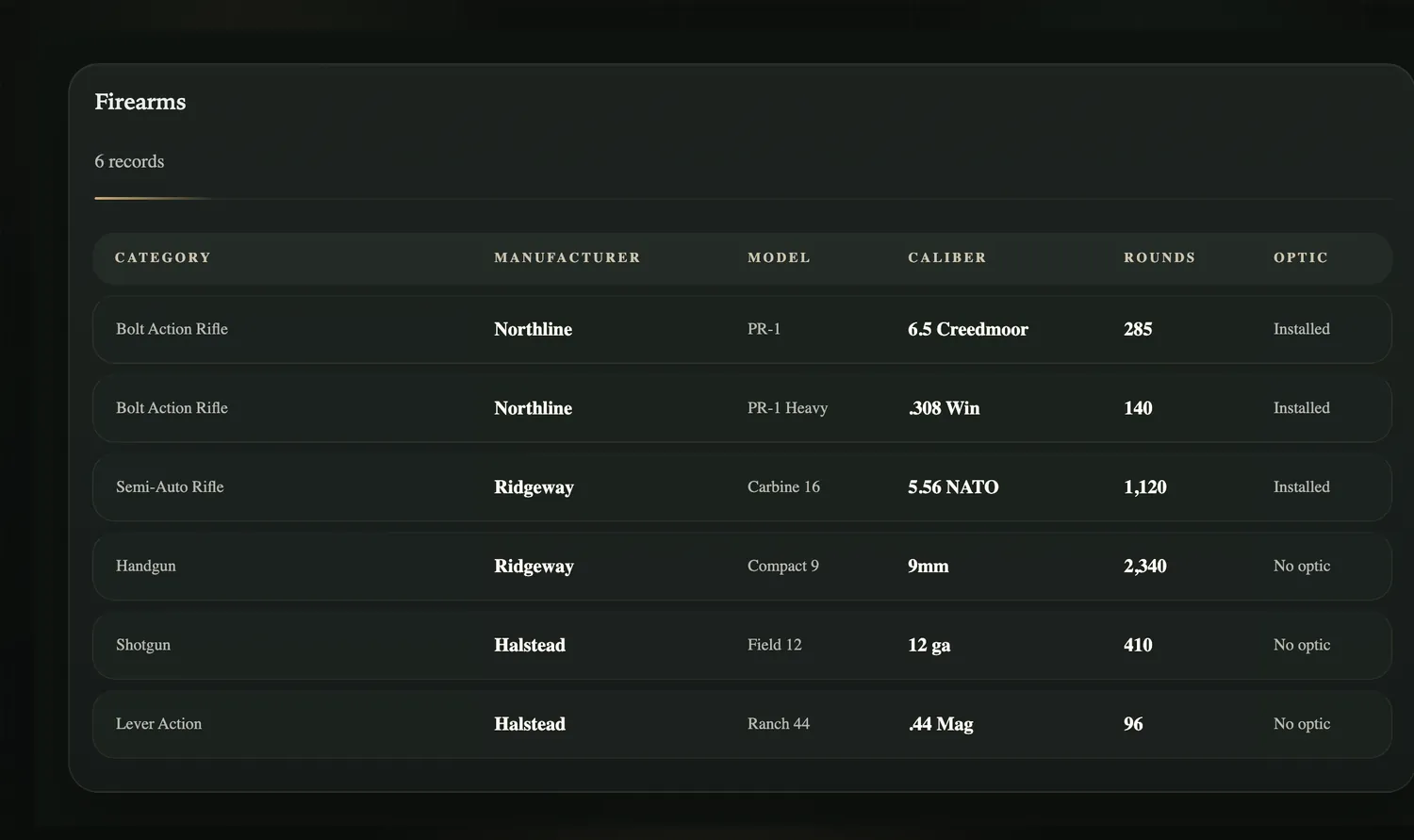
Capture serials, calibers, optics, round counts, ammo, and components. When a barcode is available, the in-app scanner can capture a UPC or barcode value rather than you typing it in.
Step 02
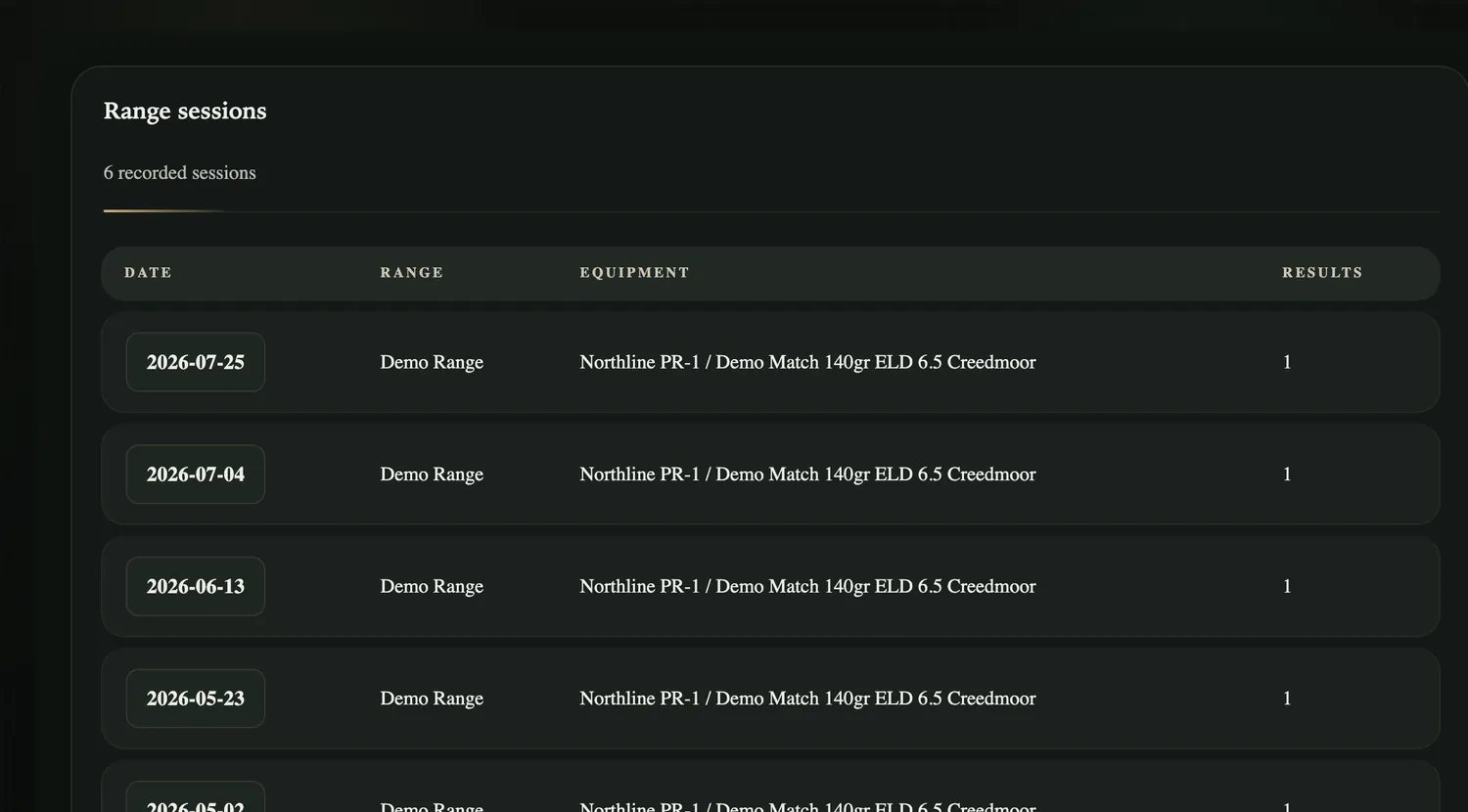
Choose the firearm and ammunition or batch, then log distance, conditions, targets, groups, and the notes that explain what you changed.
Step 03
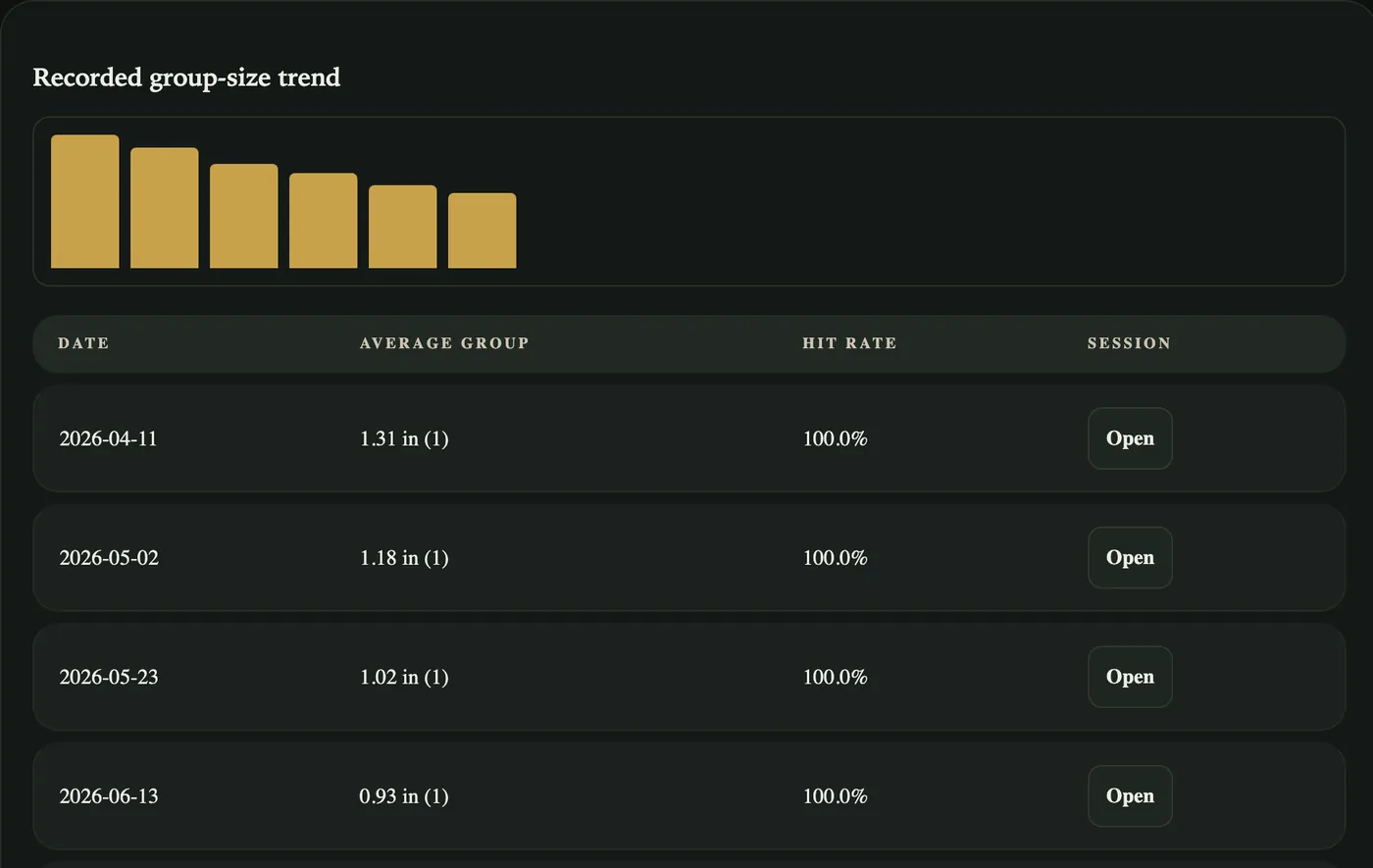
One range trip is a data point. A consistent record makes it possible to compare sessions, find trends, preview reports, and export available records as CSV.
How it fits your operation
The product is the same connected workspace. The operating model is yours to choose.
Hosted membership
Hosted access is for individual shooters and small teams who want the product without taking on deployment and operations.
Self-hosted
For organizations that need control of their infrastructure and data, with deployment, administrator handoff, and ongoing Care & Releases.
Who it’s for
What you own, and what you've put through it.
Conditions, load data and results in one place, so a change can be judged on more than one outing.
Component and lot detail, next to the groups it produced.
Suppressor configurations and the paperwork that goes with them.
Getting access
Hosted membership is $10 a month or $100 a year, with a 14-day trial. Self-hosted starts at $3,500.